
- FEATURES
- REVIEWS
- DESCRIPTION
- INSTALLATION
- FAQ
Features
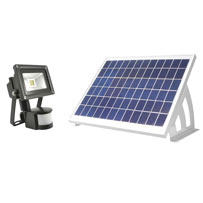
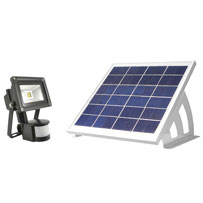
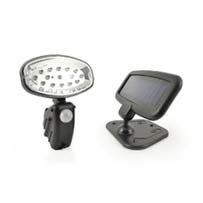
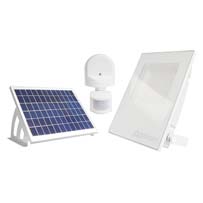
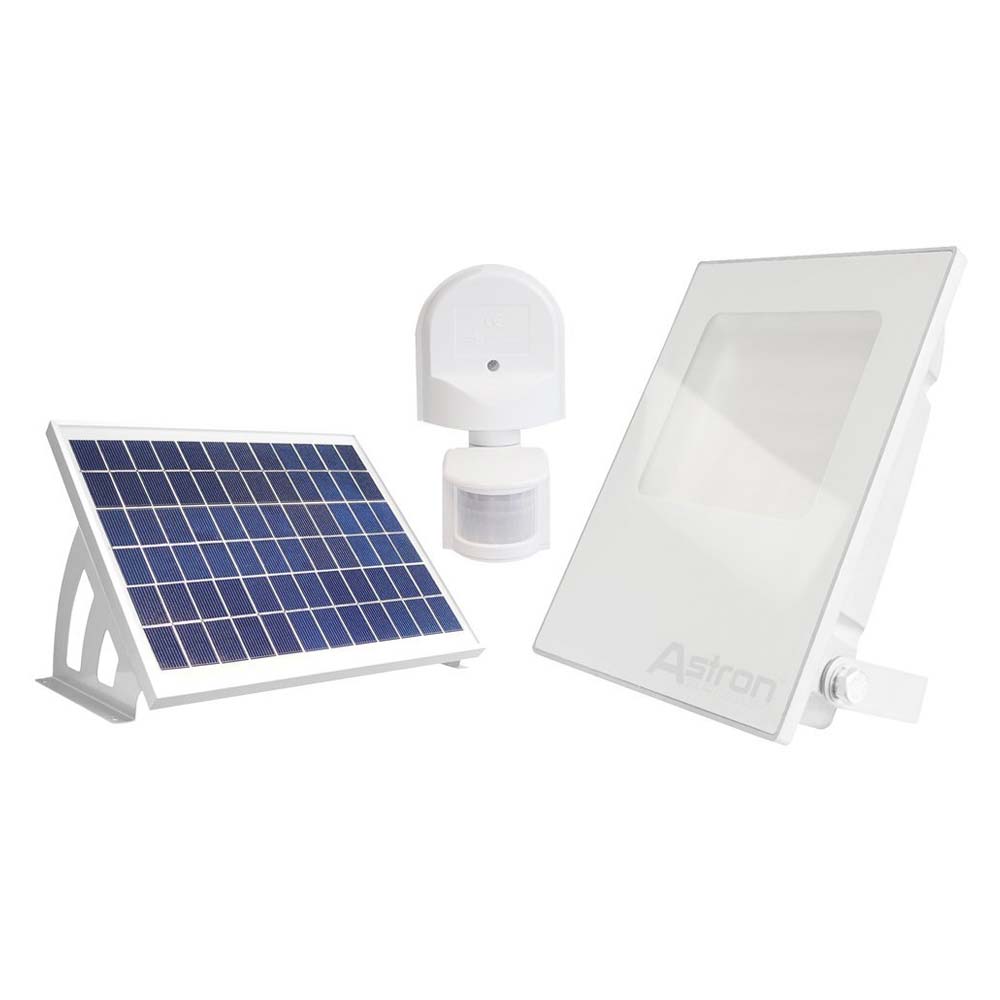
The award winning Astron64 is the brightest, most reliable, most versatile and most waterproof solar security light we have ever made. The Astron64 can deliver an astonishing 100 activations of 1 minute once fully charged. This commercial grade solar security light has a remote PIR motion sensor which can be mounted between 20cm and 1.2m from the light.
DIY Week - Security Product of the Year 2012. Totally DIY - Best Security Product 2013.
DIY Week - Security Product of the Year 2012. Totally DIY - Best Security Product 2013.
Works in Winter
A well positioned solar panel will enable this product to work in typical UK winter conditions.500 Triggers Per Night
Once motion is detected, this light can activate up to 500 times a night.150 Watt Equivalent
Brightness is equivalent to a 150 watt Halogen light you might use around the home.No Mains
This light is solar powered and does not require mains power to work.- Commercial grade solar security light
- Adjustable activation time
- Adjustable LUX sensitivity
- 64 Superbright LEDs
- 2.5W solar panel
- State-of-the-art digital motion sensor
- 2500mAh Lithium Ion battery
- IP56 Waterproofing
- PIR can be mounted between 20cm and 120cm from light
- Solar panel can be mounted up to 5m away from light
- Works reliably in UK winter

Reviews
4.6/5 (26 Customer reviews)
Description
How big is the Astron64 Solar Security Light?
 iPhone 4 alongside Astron64 Solar Security Light
Dimensions:
Light:
Height: 21.5cm
Width: 16.5cm
Depth: 5.5cm
Solar Panel:
Height: 13.7cm
Width: 19cm
Depth: 2.6cm
Whats in the box?
The Astron Solar Floodlight comes with everything you need in the box.
What is a remote motion sensor?
Many customers have asked us to make a solar security light that has a separate PIR motion sensor giving greater freedom of positioning. The Astron64 motion sensor comes with 20cm of cable which enables it to be neatly mounted close to the light. Also in the box is a 1m PIR extension cable so you can locate the PIR motion sensor up to 1.2m away from the light unit should you wish.
What is a digital motion sensor and why is it better?
Our state-of-the-art digital sensor offers greater accuracy when setting your motion sensor. Digital sensors also offer superior waterproofing because they don't use dials which are more susceptible to water ingress. The digital motion sensor on the Astron64 has two settings, Time and Lux. Time controls the amount of time your light stays on for each time motion is detected and Lux determines how dark it needs to get before your light will start activating.
The Time setting has a range of between 0 and 9
0 = 3 seconds, 1 = 30 seconds, 2 = 60 seconds, 3 = 90 seconds, 4 = 120 seconds, 5 = 180 seconds, 6 = 240 seconds, 7 = 360 seconds, 8 = 480 seconds and 9 = 600 seconds.
The Lux setting has a range of 1 – 4
1 = 5 Lux, 2 = 15 Lux, 3 = 35 Lux, 4 = 60 Lux
How waterproof is it?
The Astron64 Solar Security Light is IP56 rated.
Waterproofing is rated by the IP (International Protection) system which consists of the letters IP followed by two digits. The first digit after IP ranks a products protection against solid objects. The second digit after the IP rates a products ability to protect against liquids.
The Astron Solar Floodlight is IP56 rated making it our most waterproof light yet. IP56 means the Astron is protected against dust - limited ingress (no harmful deposit) and protected against strong jets of water e.g. for use on shipdecks - limited ingress permitted.
What is the difference between the Astron64 and the Astron Solar Floodlight?
There are 4 key differences between the two lights.
1. Function
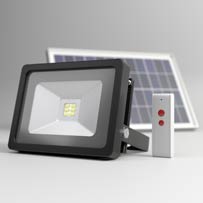
The Astron64 is a motion sensor activated light which only comes on when it detects motion. The Astron Solar Floodlight stays on constantly for up to 12 hours a night and is operated by remote control.
2. Battery capacity
Because the Astron64 only comes on when it detects motion, it doesn’t need a battery as big as the battery in the Astron Solar Floodlight. The battery in the Astron Solar Floodlight is 4 times larger than the battery in the Astron64.
3. Solar panel power
Because the Astron64 only comes on when it detects motion, it doesn’t need a solar panel as big as the solar panel that comes with the Astron Solar Floodlight. The solar panel that comes with the Astron Solar Floodlight is 4 times larger than the solar panel that comes with the Astron64.
4. Brightness
The Astron64 has 64 LED bulbs wheras the Astron Solar Floodlight has 45 LED bulbs. The Astron64 is 30% brighter than the Astron Solar Floodlight, but it can not operate for anywhere near as long.
iPhone 4 alongside Astron64 Solar Security LightDimensions:
Light:
Height: 21.5cm
Width: 16.5cm
Depth: 5.5cm
Solar Panel:
Height: 13.7cm
Width: 19cm
Depth: 2.6cm
Whats in the box?
The Astron Solar Floodlight comes with everything you need in the box.
- 1 x Astron64 Solar Security Light
- 1 x Digital motion detector (20cm of cable attached)
- 1 x 1m PIR motion sensor extension cable
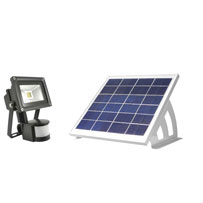
- 1 x 2.5 Watt Solar Panel
- 5m of cable attached to solar panel
- 2 x Solar panel u-mounts
- Fittings for solar panel, light and PIR motion sensor
- Instructions
What is a remote motion sensor?
Many customers have asked us to make a solar security light that has a separate PIR motion sensor giving greater freedom of positioning. The Astron64 motion sensor comes with 20cm of cable which enables it to be neatly mounted close to the light. Also in the box is a 1m PIR extension cable so you can locate the PIR motion sensor up to 1.2m away from the light unit should you wish.
What is a digital motion sensor and why is it better?
Our state-of-the-art digital sensor offers greater accuracy when setting your motion sensor. Digital sensors also offer superior waterproofing because they don't use dials which are more susceptible to water ingress. The digital motion sensor on the Astron64 has two settings, Time and Lux. Time controls the amount of time your light stays on for each time motion is detected and Lux determines how dark it needs to get before your light will start activating.
The Time setting has a range of between 0 and 9
0 = 3 seconds, 1 = 30 seconds, 2 = 60 seconds, 3 = 90 seconds, 4 = 120 seconds, 5 = 180 seconds, 6 = 240 seconds, 7 = 360 seconds, 8 = 480 seconds and 9 = 600 seconds.
The Lux setting has a range of 1 – 4
1 = 5 Lux, 2 = 15 Lux, 3 = 35 Lux, 4 = 60 Lux
How waterproof is it?
The Astron64 Solar Security Light is IP56 rated.
Waterproofing is rated by the IP (International Protection) system which consists of the letters IP followed by two digits. The first digit after IP ranks a products protection against solid objects. The second digit after the IP rates a products ability to protect against liquids.
The Astron Solar Floodlight is IP56 rated making it our most waterproof light yet. IP56 means the Astron is protected against dust - limited ingress (no harmful deposit) and protected against strong jets of water e.g. for use on shipdecks - limited ingress permitted.
What is the difference between the Astron64 and the Astron Solar Floodlight?
There are 4 key differences between the two lights.
1. Function
The Astron64 is a motion sensor activated light which only comes on when it detects motion. The Astron Solar Floodlight stays on constantly for up to 12 hours a night and is operated by remote control.
2. Battery capacity
Because the Astron64 only comes on when it detects motion, it doesn’t need a battery as big as the battery in the Astron Solar Floodlight. The battery in the Astron Solar Floodlight is 4 times larger than the battery in the Astron64.
3. Solar panel power
Because the Astron64 only comes on when it detects motion, it doesn’t need a solar panel as big as the solar panel that comes with the Astron Solar Floodlight. The solar panel that comes with the Astron Solar Floodlight is 4 times larger than the solar panel that comes with the Astron64.
4. Brightness
The Astron64 has 64 LED bulbs wheras the Astron Solar Floodlight has 45 LED bulbs. The Astron64 is 30% brighter than the Astron Solar Floodlight, but it can not operate for anywhere near as long.
Installation
Find the best location for your solar panel within 5 metres of where you plan to have the floodlight. The location needs to be as south facing as possible and free from light obstructions such as buildings, trees, fences, bushes or the shadows that these create.
1. Connect the u-shaped solar panel mounts to the solar panel
2. Position solar panel in desired location and mark holes in u-mounts
3. Drill holes, apply screw plugs and screw panel into place
4. Remove bracket from light and position in desired location
5. Mark holes in bracket, drill holes and insert screw plugs
6. Screw bracket into place and reconnect light to it
7. Position PIR motion sensor and mark holes using supplied template
8. Drill holes and screw PIR motion sensor into place
9. Connect PIR cable to light
10. Connect solar panel cable to light and turn on
1. Connect the u-shaped solar panel mounts to the solar panel
2. Position solar panel in desired location and mark holes in u-mounts
3. Drill holes, apply screw plugs and screw panel into place
4. Remove bracket from light and position in desired location
5. Mark holes in bracket, drill holes and insert screw plugs
6. Screw bracket into place and reconnect light to it
7. Position PIR motion sensor and mark holes using supplied template
8. Drill holes and screw PIR motion sensor into place
9. Connect PIR cable to light
10. Connect solar panel cable to light and turn on
Frequently Asked Questions
Question:
A good light fitting except for the fitting of the solar panel brackets, The way I did the above was reasonably easy, equipment needed :- one Argos catalogue (don't laugh), Vaseline, Tweezers, Snipe nose Moll grips, 100mm of 1mm stripped (solid) copper wire, Small piece of cardboard.
First take the copper wire and wrap it round the edge of one the nut and twist the wire with a pair of plierers (like a ring spanner) bend the wire like a teaspoon, Then clamp the first bracket to the to panel using the piece of cardboard and Molls, Put the Solar Panel on the catalogue (the reason for the catalogue is that brackets are longer than the panel and will allow panel to stand upright) on edge looking down on the screws your working on put some Vaseline on the screw fit in the hole then with the tweezers place flat and spring washers with Vaseline to hold it in position, put the a screwdriver in the head screw then get the copper wire with nut and hold in position and screw up remove copper wire (for use on the other nuts), hold nut with long nose pliers (I used small spanner) and tighten, do the same for other screws and bracket. If you don't have Moll Grips use another piece of copper wire twisted in the hole of bracket and panel your not working on to hold them together temporary. This may sound long winded but ten minuets at the most to do the job. (No nuts, washers or brackets falling on the floor and trying find them or hold it all together)
P.S. Took me longer to think about it. By klt on Jul 19, 2015 Helpful? 3 | 0
Question:
Fantastic other than two points.
1. The light is not a warm colour, quite the opposite. Considering putting a yellow film over LED's to rectify.
2. Attaching bracket to solar panel is very fiddly. By Luke Daniel on Mar 25, 2015 Helpful? 2 | 1
Question:
I do not rate products with 5 stars often but in this case I have no hesitation. This Security Light is absolutely brilliant. It is not expensive when measured against the exceptional quality. I purchased two and I am extremely pleased. The only thing that matches the quality and functioning of the light is customer service. Other reviewers rate this equally highly. It does not get any better. Friendly, knowledgable and superb in every way. Thank you. By James Farrell on Sep 20, 2014 Helpful? 1 | 0
Question:
A brilliant piece of equipment, I have now ordered 3 of these and am absolutely delighted. Customer service is also of the highest quality, most helpful in all respects. A big 'thank you' from a very satisfied customer By Bernard White on Dec 11, 2014 Helpful? 1 | 0
Question:
Good well made quality light fitting the solar to the bracket a fiddle Could the bracket be more adjustable to suit time of the year? But overall very pleased with the product & service thanks. By T.Emery on Jan 10, 2015 Helpful? 1 | 0
Question:
Arrived immediately, gave a good light - well up to expectation. However it would not switch off again after activation. It just flickered off and on again at the end of the set time period. Only worked properly on the 3 second setting. Phoned Solar Centre but they did not answer. They replied to email and said it was probably a faulty sensor and they would send me a new one. Unfortunately this seems to go through a slower channel than the original delivery so I am still waiting! I think it will good when it works, but would be even better if the new sensor was sent by first class post! By Pat Morgan on May 30, 2015 Helpful? 1 | 0
Question:
Very good product, although fitting the brackets to the solar panel is a fiddly job. The quality of the plug fittings could be improved as they can easily become cross threaded By Keith Beavis on Sep 21, 2015 Helpful? 1 | 0
Question:
This product is great compared to what I had previously, I bought 2 of them and they work well. The bit that was fiddly, was the placing the screw through the bracket into a nut on the solar panel. Do this indoors for those attempting to do this in the future. As an improvement, the nut shout have been fixed to the solar panel structure to make the bracket installation easier. Overall, a very good product so far, winter will be the real test of endurance for this product. By Shane Regunath on Sep 27, 2015 Helpful? 1 | 0
Question:
The Light is bright enough and looks good on the wall.
The solar panel brackets need redesigning so that their assembly can be performed without the aid of an 8 tentacled Octopus.
This would be a simple matter and probably improve the sale of this article, as this has been a sore point mentioned by other users.
By Iain Finden on Oct 19, 2015 Helpful? 1 | 0
Question:
Excellent light, very pleased with purchase. My son-in-law put it up
for me and did not find it a difficult job. By Elizabeth Kynaston on Nov 08, 2015 Helpful? 1 | 0